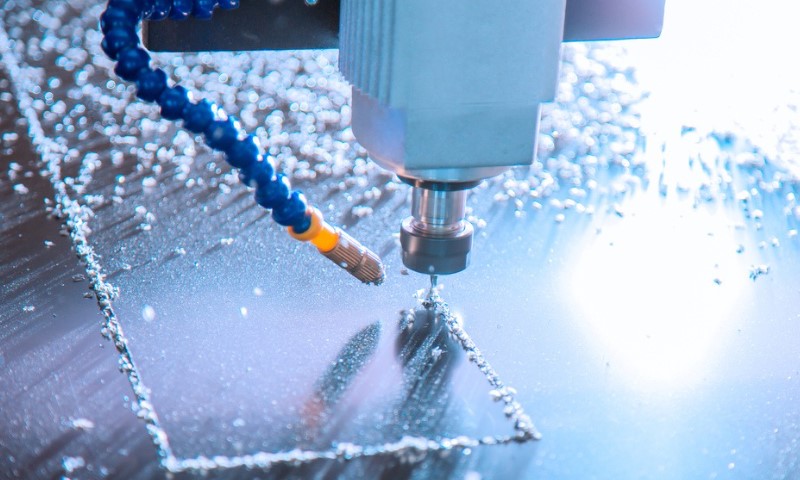
A CNC router machine sits at the center of modern cutting and fabrication for wood, plastics, composites, foam, and even some nonferrous metals.
For cabinet shops, sign makers, furniture manufacturers, prototyping labs, and serious hobbyists, it can turn a digital file into a finished part with speed and repeatability that would be hard to match by hand.
CAD and CAM software now make that workflow far more accessible than it used to be, which is one reason CNC routing has spread far beyond large factories.
In a Rush? Here’s What Matters Most
- CNC router follows digital cutting instructions
- Common in wood, plastic, foam, and signs
- Cut quality depends on setup and tooling
- Safety, dust control, and accuracy all matter
What a CNC Router Machine Is
A CNC router is a computer-controlled cutting machine that moves a rotating tool along programmed paths to cut, carve, drill, groove, or shape material. CNC stands for computer numerical control, meaning the machine follows coded instructions rather than relying on constant manual guidance.
In practical terms, a CNC router takes a design from software, converts it into machine instructions, and then moves along multiple axes to produce the required geometry.
Most CNC routers are built around a flat bed or table, a gantry, drive motors, a spindle or router, and a control system. Material is fixed to the table, often with clamps or a vacuum hold-down system, while the machine moves the cutting tool across the workpiece.
Industrial models can also add automatic tool changers, drill banks, nesting capability, zone-based vacuum control, and accessories for warped or hard-to-hold sheets.
Why CNC Routers Matter in Real Production
A shop using hand routers, templates, and repeated measuring can make excellent work, but scale becomes a problem very quickly. A CNC router helps by reducing manual layout time, improving repeatability, and making it easier to run batches of parts with the same dimensions.
Autodesk notes that CNC systems automate complex cutting operations, while commercial router manufacturers position routers as high-efficiency tools for wood, plastics, aluminum, cladding, and sign production.
In woodworking, routing centers are widely used for cabinetry, furniture parts, doors, panel processing, and shaped components. In signmaking, they are commonly used for lettering, logos, acrylic panels, composite boards, and custom display parts. In fabrication environments working with plastics or light metals, routers can also handle trimming, profiling, and sheet processing.
CNC Router vs. Other CNC Machines
A CNC router is often compared with a CNC mill, but the two are not identical. Routers are commonly optimized for larger sheet materials, faster movement, and materials like wood, MDF, plywood, plastics, foam, and composites.
Mills are usually built with heavier structures for harder metals, tighter tolerances under high cutting loads, and slower but more rigid machining conditions.
CAM platforms such as Autodesk group routing under broader CNC machining workflows, but equipment choice still depends heavily on material, rigidity, spindle power, work envelope, and finish requirements.
A simple comparison makes the difference easier to see:
| Machine Type | Typical Materials | Typical Strengths | Common Limitations |
| CNC Router | Wood, MDF, plywood, plastics, foam, composites, some aluminum | Large sheet processing, fast cutting, nesting, signage, cabinetry | Less rigid than a heavy mill for tough metals |
| CNC Mill | Steel, stainless, aluminum, engineering plastics | High rigidity, precision metal work, deeper cutting forces | Smaller working area in many setups, slower sheet processing |
| Laser Cutter | Wood, acrylic, sheet materials, fabrics, some metals depending on system | Very fine cutting, no tool contact, clean profiles in many materials | Heat-affected edges, material limits, no milling depth |
| Waterjet | Metal, stone, composites, glass | No heat zone, broad material range | Slower for many jobs, higher operating cost |
Main Parts of a CNC Router

A CNC router may look straightforward from the outside, but several core systems have to work together.
Frame and Bed
The frame gives the machine structural stability. The bed supports the material, often in sheet form.
Entry-level models may use clamp-based hold-down, while industrial systems frequently rely on vacuum tables because they keep stock in place without getting in the cutter’s path. Vacuum zoning can also improve throughput by holding different table areas separately.
Gantry and Axes
Most routers move in X, Y, and Z axes. X and Y handle horizontal travel across the table, while Z moves the spindle up and down. Some machines add rotary axes or aggregate heads for more complex operations.
FANUC control literature and general CNC documentation describe axis control as a central part of CNC motion systems.
Spindle or Router Motor
The spindle spins the cutting tool. Power, RPM range, and cooling method all affect what materials can be cut and how aggressively the machine can run.
Lighter desktop systems may use trim-router-style motors, while industrial equipment often uses more robust spindles that support production work, precise speed control, and heavier duty cycles.
ShopBot documentation distinguishes between router-based and spindle-based setups during tool installation and startup procedures.
Tooling
Bits, end mills, drills, and specialty cutters determine cut quality as much as the machine does. Material, flute design, coating, diameter, shank size, and chip evacuation all matter.
Educational router materials note that tool selection changes with the operation, whether the goal is plunging, edging, cutting profiles, or clearing pockets.
Controller and Software
The controller reads machine code and translates it into motion. CAD software creates the design, CAM software generates the toolpath, and a post-processor formats the output for the specific machine or control.
Autodesk describes CAM as the stage where digital designs are translated into toolpaths and machine instructions for CNC equipment.
How a CNC Router Works, Step by Step
@hilltopsierra A beginners guide to a CNC router from knowing what the pieces are of the machine to what accessories to purchase and types of bits. #cncrouter #cncroutermachine #cncrouterparts #cncwoodworking #cncrouters #shapeoko
A CNC router follows a digital-to-physical workflow. Once you see each step, the machine feels much less mysterious.
1. Design Creation
The process starts with a drawing or 3D model in CAD software. A cabinet panel, sign face, speaker box, foam mold, or furniture component can all begin as digital geometry with exact dimensions.
2. CAM Setup
Next comes CAM. Here, the operator chooses tools, sets spindle speed, feed rate, plunge rate, cut depth, lead-ins, tabs, and machining strategies.
CAM software then generates the toolpath, which is the route the cutter will follow. Autodesk describes CAM as the part of the workflow that handles toolpath generation, machine setup, and process optimization.
3. Post-Processing
After toolpaths are ready, software exports machine-readable code, often G-code plus machine functions known as M-codes. Haas documentation shows how machine control depends on coded commands for movement and operation.
4. Material Setup
The operator places the sheet or blank on the table and secures it with clamps, screws, pods, rollers, or vacuum hold-down. On many industrial routers, vacuum systems are preferred because they reduce movement during cutting and improve edge quality.
5. Zeroing and Referencing
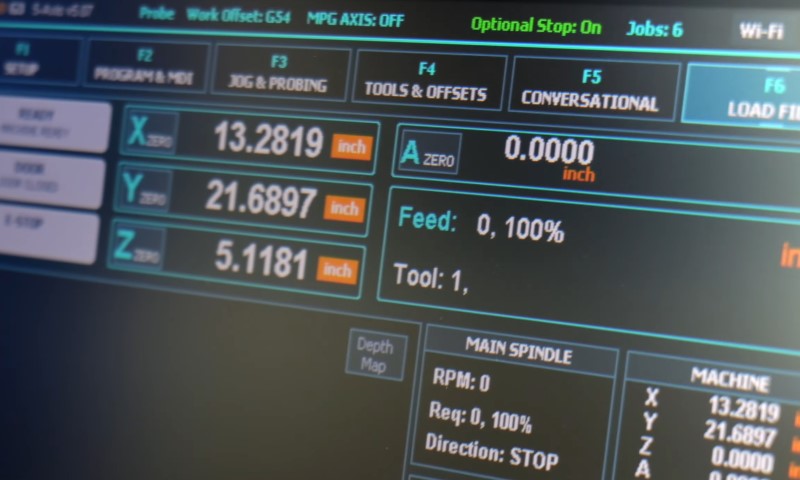
Before cutting starts, the machine needs a known origin point. Operators set work coordinates so the router knows where the tool is relative to the material.
ShopBot quick-start documentation includes X, Y, and Z zeroing as a standard part of setup, and Autodesk explains work coordinate systems as a basic principle of CNC motion.
6. Cutting Operation
Once the program runs, motors drive the axes while the spindle rotates the selected tool. The machine moves according to the programmed coordinates, cutting pockets, grooves, drill holes, contours, or carved surfaces.
Accuracy depends on machine rigidity, tool condition, correct feeds and speeds, workholding, and suitable toolpaths. FANUC and Autodesk both frame precision and high-speed feed control as core to CNC performance.
7. Finishing and Inspection
After machining, parts may need sanding, edge cleanup, deburring, or dimensional checks. In production settings, repeatability is a major selling point because once the program is dialed in, the same part can be reproduced again and again with far less variability than manual routing.
Common Uses of CNC Router Machines
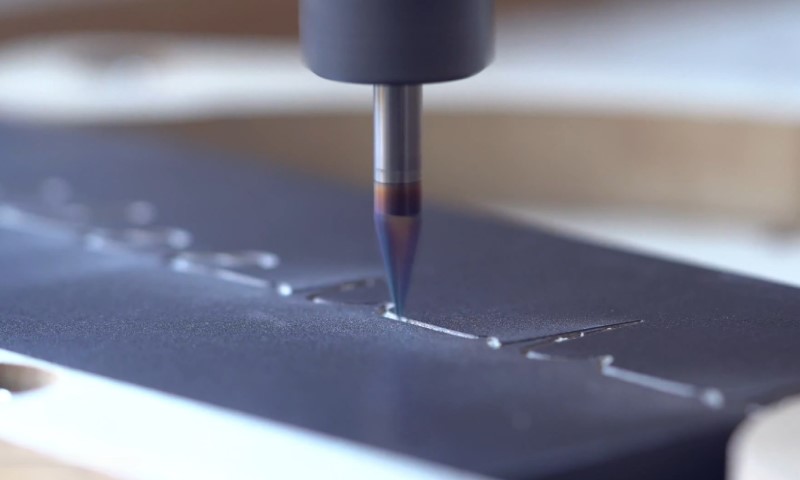
CNC routers show up in far more places than many people expect.
Woodworking and Cabinetry
Cabinet doors, shelf systems, drawer components, furniture panels, decorative cutouts, and nested plywood parts are standard applications.
AXYZ and Autodesk both highlight cabinetmaking and woodworking as major CNC use cases.
Signmaking and Displays
Acrylic letters, PVC signs, aluminum composite panels, store fixtures, dimensional logos, and exhibition parts are common router jobs.
Sign shops value routers because one machine can profile, engrave, and drill a wide range of sheet materials.
Plastics and Composites
Plastic guards, covers, housings, machine panels, templates, and composite components can all be routed, especially when clean geometry and repeat production matter.
Foam, Prototyping, and Model Making
Foam is widely used for mockups, packaging forms, stage props, molds, and design validation. Routers can machine large foam blocks quickly, which makes them useful in prototyping and visual fabrication.
Aluminum and Nonferrous Sheet Processing
Certain routers are designed to process aluminum and similar materials, especially in thin sheet or panel form. Results depend heavily on spindle power, rigidity, chip evacuation, lubrication strategy, and tool choice.
Commercial router makers explicitly market systems for aluminum, cladding, and metal fabrication applications.
Types of CNC Routers

Not every CNC router serves the same market.
Desktop Routers
Small-format machines are popular with schools, makers, prototyping labs, and small businesses.
They cost less, take up less room, and are suitable for lighter materials and smaller jobs. ShopBot’s desktop product materials show how widely such systems are used in compact shop environments.
Mid-Size Production Routers
Many growing shops land in the middle: enough table size for sheet goods, enough spindle power for daily use, and enough automation to save labor without moving into full industrial line integration.
Industrial Routers
High-volume routers can include automatic tool changers, drill banks, label systems, multi-zone vacuum tables, and specialized heads for furniture, doors, panels, and nested-based manufacturing. Biesse and AXYZ both market such systems toward industrial users.
What Affects Cut Quality
A CNC router can only perform as well as the setup around it. Common factors include:
- Bit selection and sharpness
- Feed rate and spindle speed
- Chip evacuation
- Machine rigidity
- Vacuum strength or clamp security
- Material flatness
- Program strategy and step-over
- Proper zeroing and calibration
Router manufacturers and CAM providers consistently point to tooling, speeds and feeds, and hold-down as major drivers of part quality and production efficiency.
Safety Matters More Than Many New Users Expect
A CNC router is automated, but automation does not remove risk. OSHA guidance for woodworking routers warns about flying chips, splinters, and the need for guarding around cutting tools.
OSHA also notes that wood dust exposure can contribute to eye and skin irritation, nasal symptoms, asthma, chronic bronchitis, and other respiratory effects, while HSE guidance stresses source capture and on-tool extraction for dust control.
For any shop running MDF, plywood, hardwood, or composite board, dust extraction is a health issue as much as a housekeeping issue.
A loud spindle, moving gantry, exposed rotating tool, and airborne dust all demand training, PPE where appropriate, machine guarding, and maintenance discipline.
Who Should Use a CNC Router
A CNC router makes sense for more than large manufacturers. Good candidates include:
- Cabinet and furniture shops making repeat parts
- Sign businesses cutting letters and panels
- Fabricators working with plastics, composite boards, or foam
- Schools and labs teaching digital fabrication
- Product designers making prototypes or short runs
- Small shops that want to reduce manual routing time
Return on investment depends on job mix, material volume, labor cost, learning curve, and software workflow. A shop making one-off hand-built pieces may not need one. A shop processing repeated shapes every week often sees the value quickly.
Final Thoughts
A CNC router machine is, at its core, a digital cutting system built to turn designs into physical parts with consistency. For woodworking, signs, plastics, foam, composites, and selected aluminum work, it has become one of the most practical production tools in modern fabrication.
Success still depends on good software, correct tooling, safe setup, and operators who know how material, speed, and workholding interact on the table.